What Is a POS System and How Does It Work? A Simple Guide for Businesses
Infotronics Knowledge Hub
Infotronics Business Solutions
Helping you make smarter technology decisions.
What Is a POS System and How Does It Work?
Reading Time: 8–10 Minutes
Last Updated: September 2026
Quick Answer
A POS system, or Point of Sale system, is a combination of software and hardware that helps a business process sales and manage information related to those transactions.
A modern POS system can do much more than simply calculate a customer's bill. Depending on the system and the business, it may also help manage inventory, record sales, generate reports, track customer information, and connect different parts of the business in one place.
Think of it as a digital centre for your sales operations.
For a small shop, it could be the system used to record each sale and update stock.
For a larger business, it could become part of a wider system for managing sales, inventory, customers, staff, reporting, and other operations.
What Does POS Actually Mean?
POS stands for Point of Sale.
The point of sale is simply the place or moment where a customer completes a purchase.
Traditionally, this might have been a cash register at a shop counter.
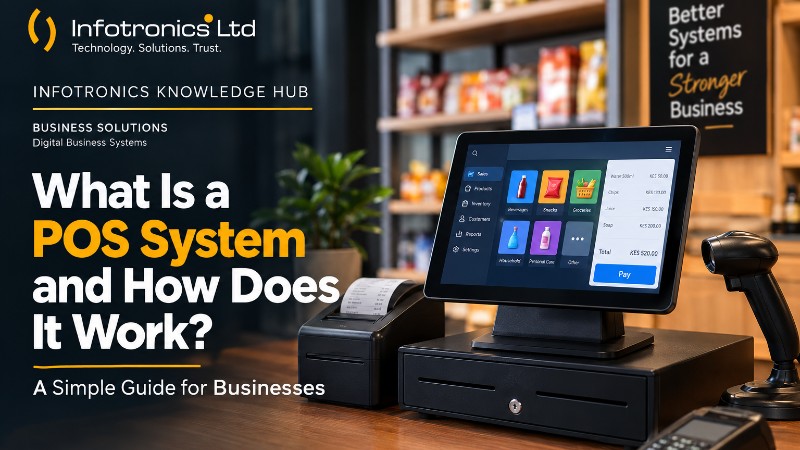
Today, a POS system can include software running on a computer, tablet or other device, together with hardware such as barcode scanners, receipt printers, cash drawers and payment devices, depending on the business setup.
So when people say "POS system," they're usually talking about more than the machine at the counter.
They're talking about the technology that helps the business record and manage the transaction.
Why Has POS Technology Become So Important?
Imagine running a busy shop using only a notebook.
Every sale has to be written down.
Stock has to be counted manually.
At the end of the day, sales have to be added up.
If something doesn't balance, you have to go through the records and try to find the mistake.
That might work for a very small operation.
But as the number of customers, products and transactions grows, the process becomes increasingly difficult to manage.
A POS system can automate many of these routine tasks and bring sales information into a central system.
Modern POS platforms commonly combine sales processing with functions such as inventory management and reporting.
How Does a POS System Work?
The basic process is surprisingly simple.
Let's imagine a customer walks into a retail shop.
Step 1: The Customer Chooses a Product
The customer selects what they want to buy.
The salesperson identifies the product in the POS system, which may be done by selecting it from the system or scanning a barcode, depending on the setup.
Step 2: The System Calculates the Sale
The POS system calculates the price of the selected items and prepares the transaction.
If the business has inventory tracking enabled, the system can also record that the items have been sold.
Step 3: The Customer Makes Payment
The customer pays using the payment methods supported by the business and its POS setup.
Step 4: The Transaction Is Recorded
Once the sale is completed, the system records the transaction and can generate a receipt.
The transaction data can then be used for reporting and other business processes.
? Infotronics Expert Tip
A POS system becomes much more valuable when you stop thinking of it as "a machine for making receipts" and start thinking of it as "a system for capturing business information."
Every sale can become useful information that helps a business understand what is selling, when sales are happening, and how the business is performing.
What Can a POS System Manage?
The exact features vary from one POS solution to another.
However, modern systems can commonly support several areas of business operations.
1. Sales Management
This is the foundation.
A POS system records sales as they happen, giving the business a digital record of its transactions.
Instead of relying entirely on handwritten records, the business can have sales information stored electronically.
2. Inventory Management
Inventory management is one of the biggest advantages of a modern POS system.
When products are sold, inventory records can be updated automatically depending on how the system is configured.
This can make it easier to monitor stock levels and identify products that may need replenishment.
For businesses with many products, this can save considerable time compared with relying entirely on manual stock records.
3. Business Reporting
A POS system can turn transaction data into useful reports.
Depending on the system, reports may help a business understand:
- Total sales
- Sales by product
- Sales over a specific period
- Inventory movement
- Other operational information
The exact reports available depend on the POS software.
The important point is that the business can make decisions based on recorded information rather than relying entirely on memory or manual calculations.
4. Customer Information
Some POS systems also include customer management features.
This can allow a business to keep customer information connected to transactions and, depending on the system, support activities such as customer history or loyalty programmes.
Not every business needs advanced customer management, but it can become useful as a business grows.
5. Payment Processing
Payment processing is another important part of many POS setups.
Depending on the system and payment infrastructure being used, businesses may support different payment methods.
It's important to distinguish the POS software from the payment service itself. A POS system can record and manage transactions, while the actual payment processing may involve separate financial or payment services.
?? Tech in Practice
A Small Retail Shop
Imagine a shop selling household goods.
A customer purchases five different products.
With a manual system, the seller may need to:
- Write down the items.
- Calculate the total.
- Record the sale.
- Adjust stock manually.
- Keep the receipt.
- Update daily records.
With an appropriately configured POS system, many of those steps can be handled within one transaction.
The sale is recorded digitally, the total is calculated automatically, and inventory can be updated as part of the process.
The business also gains a digital sales record that can be used for reporting.
That's the real value of POS technology: reducing repetitive manual work while creating useful business information.
POS System vs Traditional Cash Register
A traditional cash register is primarily designed to handle transactions.
A modern POS system can go much further.
| Function | Traditional Cash Register | Modern POS System |
|---|---|---|
| Calculate sales | ? | ? |
| Record transactions | ? | ? |
| Print receipts | ? | ? |
| Inventory management | Limited/Manual | ? Depending on system |
| Sales reporting | Limited | ? |
| Customer management | Usually limited | ? Depending on system |
| Business insights | Limited | ? |
| Digital records | Limited | ? |
The exact capabilities of a POS system depend on the software being used. Modern POS platforms commonly combine checkout with inventory, reporting and other business-management functions.
Who Can Benefit From a POS System?
POS systems are not limited to large companies.
They can be useful to many different types of businesses.
Retail Shops
Businesses selling physical products can use POS systems to manage sales and inventory.
Supermarkets
Large product ranges and frequent transactions make digital sales and inventory records especially valuable.
Pharmacies
Specialised pharmacy systems can combine sales with other management requirements appropriate to the business.
Restaurants
POS technology can help restaurants manage orders and transactions, depending on the solution.
Salons and Service Businesses
Some POS platforms support appointments, services, customer records and payments.
The important thing is not simply whether a business has a POS system.
It's whether the system is appropriate for the way that business operates.
Does Every Business Need a POS System?
Not necessarily.
A very small business with only a few transactions may be able to operate effectively without one.
But as transaction volumes increase, manual processes can become harder to maintain.
Some signs that a business may benefit from digital sales management include:
- Increasing transaction volumes
- Difficulty tracking stock
- Frequent pricing or calculation errors
- Time-consuming end-of-day reconciliation
- Difficulty knowing which products sell most
- Missing or incomplete sales records
- Growing numbers of employees or branches
The decision should be based on the business's actual needs rather than simply following a trend.
?? Common Mistake
"A POS system will automatically solve every business problem."
It won't.
A POS system is a tool.
The value comes from choosing the right solution, setting it up correctly, training users properly, and using the information it provides.
A business can have sophisticated software and still struggle if its processes are poorly organised.
What Should You Look for in a POS System?
Before choosing a POS solution, consider the actual needs of your business.
Ease of Use
Your employees should be able to learn and use the system without unnecessary complexity.
Inventory Management
If you sell physical products, understand how the system handles stock.
Reporting
Look at the reports available and whether they answer the questions you need to ask about your business.
Scalability
Think about whether the system can continue to meet your needs as the business grows.
Security and Access Control
Understand how users, permissions and business information are managed.
Support and Training
Technical support and user training can be just as important as the software itself.
Compatibility
Check whether the system works with the hardware, operating environment and other tools your business already uses.
? POS System At a Glance
| Your Business Need | How a POS System Can Help |
|---|---|
| Record sales | Digitally captures transactions |
| Manage products | Keeps product information organised |
| Monitor inventory | Helps track stock movement |
| Produce reports | Turns sales data into useful information |
| Reduce manual calculations | Automates transaction totals |
| Maintain digital records | Keeps transaction information organised |
| Support business decisions | Provides data for analysis |
? Did You Know?
A POS system can be valuable even when a business is not large.
The real question isn't:
"Am I big enough for a POS system?"
A better question is:
"Are my current sales and record-keeping processes still manageable?"
If manual processes are consuming too much time or making it difficult to understand what is happening in the business, digital tools may be worth considering.
What Is the Difference Between POS and Business Management Software?
This is where things can become confusing.
A POS system focuses heavily on the sales transaction and related processes.
Business management software may cover a much wider range of operations.
Some modern systems combine POS with inventory, customer management, reporting and other business functions, while others connect with separate applications.
That's why you shouldn't judge a system by the label "POS" alone.
Look at what the software actually helps your business accomplish.
Choosing the Right POS System
There is no universal POS system that is perfect for every business.
A small shop may need a simple system focused on sales and stock.
A larger retailer may need more advanced inventory, reporting, user management or multi-location functionality.
A pharmacy may have very different operational requirements from a clothing shop.
A lending business may need an entirely different type of management system altogether.
The right system is the one that fits the way your business operates.
Where Infotronics Comes In
At Infotronics, our approach to business technology goes beyond simply supplying hardware.
We also provide digital business solutions designed around different types of business operations.
For example, DukaPOS is part of our business-systems portfolio for retail environments, while other Infotronics solutions are designed for different business sectors.
The important point is to start with the business problem, understand the workflow, and then identify the technology that fits.
This is the approach we believe makes technology more useful: the system should support the business, not force the business to work around the system.
? Infotronics Expert Tip
Before choosing a POS system, write down the five things you most need the system to help you manage.
For example:
Sales → Stock → Reporting → Users → Customers
Then compare systems against that list.
It makes the decision much easier than simply comparing long lists of software features.
Frequently Asked Questions
What does POS stand for?
POS stands for Point of Sale. It refers to the point where a customer completes a purchase and, more broadly, the software and hardware businesses use to process and manage sales.
Is a POS system only for large businesses?
No. POS systems can be used by businesses of different sizes. The important question is whether the system matches the business's needs and level of activity.
Can a POS system manage inventory?
Many modern POS systems can manage or integrate with inventory management. When a sale is recorded, the corresponding inventory information can be updated depending on the system and configuration.
Does a POS system require internet?
It depends on the particular system. Some POS solutions rely heavily on internet connectivity, while others may provide offline functionality. Always check the requirements of the specific system you're considering.
Can a POS system generate reports?
Yes. Reporting is a common feature of modern POS systems, although the reports available vary between solutions.
Can a POS system be used in a small shop?
Yes. A small shop can use a POS system to record sales, manage products, monitor stock and produce useful business reports, depending on the solution selected.
Is a POS system the same as an accounting system?
No. They can work together, but they serve different purposes. A POS system is primarily focused on sales transactions and related operational information, while accounting software is designed around financial accounting and reporting.
The Infotronics Verdict
If your business is growing and manual sales or stock records are becoming difficult to manage, a POS system may be the next step toward more organised operations.
Don't choose a POS simply because it has the most features. Choose one that solves the problems your business actually faces.
The right system should make everyday work easier, improve the quality of your records, and give you useful information for making better decisions.
Choose technology that works for your business—not technology that makes your business work around it.
Final Thoughts
A POS system is much more than a digital cash register.
At its simplest, it helps a business record a sale.
At its best, it can become an important part of the business's daily operations by connecting sales with inventory, reporting, customer information and other processes.
The key is understanding what your business needs before choosing the technology.
Whether you're running a small retail shop, a growing business, or a larger operation, good technology should simplify your work and give you greater visibility into what is happening.
The goal isn't simply to go digital. The goal is to work smarter.
Need Help Choosing?
Not sure whether your business needs a POS system—or which type would be right for you?
The Infotronics team can help you understand your options and identify a solution based on the way your business operates.
Whether you're looking to improve sales recording, stock management, reporting, or other business processes, we're here to help you make an informed technology decision.
Call or WhatsApp: 0756 398 449
Continue Learning
Explore more from the Infotronics Knowledge Hub:
- How to Choose the Right Laptop for Your Needs in 2026
- SSD vs HDD: What's the Difference and Which Should You Choose?
- How Much RAM Do You Really Need in 2026?
- Manual Stock Management vs POS Systems
- How Digital Records Can Improve a Small Business
About the Infotronics Knowledge Hub
The Infotronics Knowledge Hub is designed to make technology easier to understand.
Our guides cover computers, business technology, digital systems, networking, cybersecurity and other technology topics to help individuals and businesses make better-informed decisions.
Whether you're learning about a technology for the first time or looking for a solution to a business challenge, our goal is simple:
Help you make smarter technology decisions.