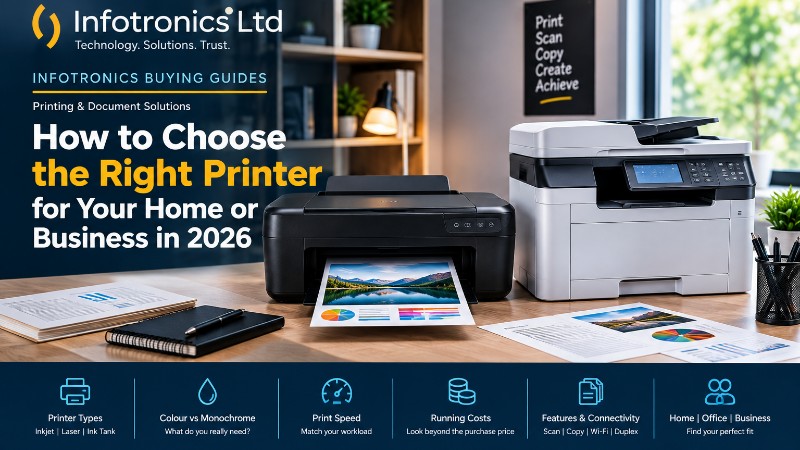
How to Choose the Right Printer for Your Home or Business in 2026
Infotronics Knowledge Hub
Infotronics Buying Guides
Helping you make smarter technology decisions.
How to Choose the Right Printer for Your Home or Business in 2026
Reading Time: 9–11 Minutes
Last Updated: September 2026
Quick Answer
The right printer depends mainly on what you print, how often you print, whether you need colour, and whether you need functions such as scanning and copying.
A home user printing school assignments and occasional documents may need a very different printer from a business printing hundreds or thousands of pages every month.
As a general starting point:
| If you are... | A good starting point |
|---|---|
| Occasional home user | Compact inkjet or all-in-one |
| Student | Wireless inkjet all-in-one |
| Home office user | Inkjet or business-oriented all-in-one |
| Office printing mostly text | Monochrome laser |
| Small business with regular volume | Business inkjet or laser |
| High-volume office | Laser or business-class printer |
| Photo-focused user | Colour inkjet designed for photo output |
| User needing printing + scanning + copying | All-in-one / multifunction printer |
These are starting points, not rules. The right choice depends on your actual workload. Current HP guidance similarly recommends matching the printer to what you print, how often you print, and whether upfront price or ongoing cost matters more.
Buying a Printer Shouldn't Feel Complicated
Buying a printer can seem straightforward.
You find a model, look at the price, check whether it prints in colour, and make your purchase.
Then you start using it.
That's when the important questions often appear.
How much does the ink or toner cost?
How quickly can it print?
Can it scan documents?
Can several people print to it?
Does it support Wi-Fi?
Can it print double-sided?
What happens when the business starts printing much more than expected?
A printer that looks affordable at first may not necessarily be the best fit over time. Likewise, a more expensive printer can sometimes make more sense if it better matches the workload and has lower running costs.
The key is to look beyond the printer's purchase price and think about how you'll actually use it.
? Infotronics Expert Tip
Before comparing printer brands or models, answer one simple question:
"How many pages do I expect to print in a typical month?"
Your monthly print volume is one of the most useful starting points when deciding what type of printer you need.
Step 1: Understand What You Actually Need to Print
Not everyone prints the same things.
Someone working from home may print invoices, letters and occasional forms.
A student may print assignments, notes and research material.
A business may print invoices, reports, quotations, receipts, forms and customer documents every day.
A designer may care far more about colour quality than raw page speed.
Before choosing a printer, think about your typical documents.
Ask Yourself
-
Do I mostly print text?
-
Do I need colour?
-
Do I print photos?
-
Do I print documents every day?
-
Do I need to scan?
-
Do I need to photocopy?
-
Do I print on both sides of the paper?
-
Will several people use the printer?
-
Do I need A4 only, or other paper sizes too?
Once you answer those questions, the right printer category becomes much easier to identify.
Step 2: Choose Between Inkjet, Laser and Ink Tank
This is where many buyers become confused.
There isn't one technology that is perfect for every situation.
Inkjet Printers
Inkjet printers use liquid ink and are known for their versatility, especially for colour printing and photos.
They can be a good fit for:
-
Home users
-
Students
-
Low-to-moderate printing
-
Colour documents
-
Photo printing
-
Mixed printing needs
Current manufacturer guidance generally positions inkjet models as strong options for colour output and mixed-use scenarios.
Main Strength
Versatility and colour output.
Consider
If you print heavily, pay close attention to ink costs and cartridge or tank yields.
Laser Printers
Laser printers use toner rather than liquid ink.
They are particularly popular for environments where large numbers of documents need to be printed quickly.
They can be a good fit for:
-
Offices
-
Businesses
-
High-volume text printing
-
Fast document output
-
Black-and-white document printing
Brother and HP both highlight laser printers as strong choices for higher-volume office and text-heavy printing, particularly where speed and running costs matter.
Main Strength
Fast, efficient document printing.
Consider
Laser printers can cost more upfront, particularly colour models, so compare the complete ownership cost rather than only the purchase price.
Ink Tank Printers
Ink tank printers use refillable reservoirs rather than traditional replaceable cartridges.
They can be attractive to people who print regularly and want a lower ongoing ink cost.
They may suit:
-
Home offices
-
Students with regular printing
-
Small businesses
-
Users printing significant colour volumes
However, the economics depend on how much you print and the particular model.
The important thing is to compare the printer's ink capacity, page yield, refill cost and expected workload rather than assuming every tank printer will automatically be cheaper.
? At a Glance
| Printer Type | Good For | Main Advantage | Consider |
|---|---|---|---|
| Inkjet | Home, school, mixed use, photos | Colour versatility | Ink costs |
| Laser | Offices, text-heavy printing | Speed and efficient high-volume output | Higher initial cost |
| Ink Tank | Regular colour/document printing | Low running cost potential | Higher upfront cost and maintenance requirements vary |
The best fit depends on the model and your actual printing pattern.
Step 3: Decide Whether You Need Colour
Colour printing is useful for many situations:
-
Presentations
-
Marketing documents
-
Charts and graphs
-
School projects
-
Photos
-
Client-facing documents
But colour is not always necessary.
If most of your printing consists of:
-
Invoices
-
Reports
-
Letters
-
Contracts
-
Internal office documents
then a monochrome printer may be enough.
This can simplify the printing setup and may be better suited to businesses focused primarily on black-and-white documents.
? Infotronics Expert Tip
Don't automatically choose a colour printer because it sounds more advanced.
Ask:
"Will I actually use colour regularly?"
If the answer is no, you may be better served by focusing on speed, reliability and running cost instead.
Step 4: Print Speed Matters More Than You Think
Printer speed is usually measured in pages per minute (ppm).
For occasional home printing, speed may not matter very much.
Waiting an extra few seconds for a school assignment isn't a major issue.
For a busy office, it can be different.
Imagine several employees printing documents throughout the day. Slow output can create queues and interrupt workflows.
Current printer buying guidance recommends considering print speed alongside expected print volume and the type of work being produced.
So don't ask:
"How fast is this printer?"
Ask:
"Is this printer fast enough for the amount of printing we do?"
Step 5: Think About Running Costs
This is one of the most important parts of buying a printer.
The initial purchase price is only one part of the cost.
You may also spend money on:
-
Ink
-
Toner
-
Paper
-
Replacement components
-
Maintenance
-
Electricity
That's why it's useful to think about total cost of ownership rather than just the purchase price. HP's current printer guidance specifically recommends considering ink or toner, energy, maintenance and other ongoing costs when evaluating printers.
Example
Printer A costs less to buy but uses relatively expensive cartridges.
Printer B costs more initially but supports higher-yield supplies and is designed for heavier workloads.
Depending on how much you print, Printer B could make more sense over time.
The cheapest printer at the till is not necessarily the cheapest printer to own.
?? Tech in Practice
Meet Brian
Brian runs a small office.
He prints invoices, quotations, reports and internal documents throughout the week.
When he bought his first printer, he focused mainly on the purchase price.
After several months, he realised that his printing supplies were becoming a significant ongoing expense.
For his next printer, he started comparing:
Purchase price + supply cost + expected print volume + printer capacity.
That gave him a much clearer picture of what he was actually spending.
The lesson is simple:
Don't shop for the printer alone. Shop for the printing process.
Step 6: Do You Need an All-in-One Printer?
An all-in-one, also called a multifunction printer, combines printing with functions such as scanning and copying. Some models also include fax functionality.
An all-in-one can be useful for:
-
Home offices
-
Businesses
-
Schools
-
Administrative offices
-
Users who regularly scan documents
Current HP guidance describes multifunction printers as practical where scanning and copying are useful because they combine several functions in one device.
When a Single-Function Printer Makes Sense
A print-only printer may be enough when:
-
You rarely scan.
-
You don't need copying.
-
You want a simpler setup.
-
The printer has one clear job.
There's no need to pay for functions you'll never use.
Step 7: Consider Paper Handling
Paper handling is easy to overlook until you start using the printer heavily.
Think about:
-
Paper tray capacity
-
Supported paper sizes
-
Manual feed options
-
Automatic duplex printing
-
Special media support
If you regularly print large documents, repeatedly loading small paper trays can become frustrating.
Automatic duplex printing can also reduce paper use and make document production easier. Printer buying guidance from HP specifically identifies paper capacity, supported sizes and duplex printing as features worth considering.
Step 8: Check Connectivity
Modern printers can connect in several ways.
Depending on the printer, you may find:
-
USB
-
Wi-Fi
-
Ethernet
-
Mobile printing
-
Cloud-based printing features
For a single home user, USB may be perfectly adequate.
For a business with several computers, network connectivity becomes much more useful.
Current printer guidance highlights Wi-Fi, Ethernet and mobile printing as useful connectivity options for modern work environments.
Step 9: Check the Recommended Print Volume
This is particularly important for businesses.
Printers have specifications related to how much they are designed to handle.
You may see terms such as:
Duty Cycle
and
Recommended Monthly Page Volume
These are useful when deciding whether a printer is suitable for your workload.
A business regularly producing large volumes should not simply choose a printer because it is affordable or compact.
It should choose a model designed for the expected workload.
Current HP guidance recommends checking both duty cycle and expected monthly volume, rather than buying a printer designed for much lower or much higher workloads than necessary.
?? Common Mistake
Buying a home printer for a business workload
A printer designed for occasional household printing may struggle to make sense in a busy office.
The issue isn't necessarily that the printer will immediately fail.
The bigger problem is that its speed, paper capacity, supply costs or recommended workload may not match how the business uses it.
Always match the printer to the workload.
Step 10: Think About Your Workspace
Where will the printer live?
That sounds simple, but it's important.
A printer may need space for:
-
The machine itself
-
Paper
-
Printed documents
-
Open trays
-
Replacement supplies
-
Easy access for maintenance
A compact home printer can fit neatly on a small desk.
A business multifunction printer may require significantly more space.
Before buying, measure your available area.
Printers for Different Users
Now let's bring everything together.
? For Students
A student will often benefit from:
-
Compact design
-
Wi-Fi
-
Affordable running costs
-
Colour capability if needed
-
Scanning and copying
An all-in-one inkjet or ink-tank printer may be a practical starting point depending on printing frequency and colour needs.
? For Home Users
Home users should first determine how frequently they print.
If printing is occasional, focus on:
-
Easy setup
-
Compact size
-
Wireless connectivity
-
Simple maintenance
-
Reasonable running costs
If printing becomes frequent, consider whether a higher-yield ink system or more business-oriented printer would better match the workload.
? For Office Professionals
Office users should pay more attention to:
-
Print speed
-
Paper capacity
-
Duplex printing
-
Reliability
-
Network connectivity
-
Scanning
-
Cost per page
A multifunction printer can be particularly practical when scanning and copying are part of the daily workflow.
? For Small Businesses
Small businesses should think beyond the printer itself.
Consider:
-
Monthly print volume
-
Number of users
-
Colour requirements
-
Paper capacity
-
Cost per page
-
Network connectivity
-
Scanning
-
Security and administrative features where relevant
For higher-volume office printing, laser and business-oriented inkjet printers are commonly considered based on the workload and document types.
? For Designers and Photo Users
For users who care about colour and images, inkjet technology can offer advantages in photo and colour output.
Focus on:
-
Colour quality
-
Supported media
-
Resolution
-
Borderless printing where required
-
Colour consistency
-
Availability and cost of supplies
Don't choose purely on print speed when image quality is your priority.
? Printer Buying Checklist
Before purchasing your next printer, ask:
Your Printing Needs
? What do I print most often?
? How many pages do I print per month?
? Do I need colour?
? Do I print photos?
Functions
? Do I need scanning?
? Do I need copying?
? Do I need automatic duplex printing?
Running Costs
? What do replacement ink or toner supplies cost?
? What is the expected page yield?
? Is the printer appropriate for my monthly volume?
Connectivity
? Does it support Wi-Fi?
? Does it support Ethernet if my business needs it?
? Can I print from the devices I normally use?
Practical Considerations
? Is the printer the right size for my workspace?
? Does it have enough paper capacity?
? Are supplies readily available?
? Is technical support available when needed?
? Did You Know?
The number printed on a printer's box isn't the whole story.
A printer designed to produce a large number of pages may still be a poor choice for someone who prints only occasionally.
Likewise, a compact home printer may become an inefficient choice for a business printing large volumes every week.
The best printer isn't the biggest or fastest one. It's the one whose capabilities match your actual workload.
Frequently Asked Questions
Should I buy an inkjet or laser printer?
It depends on what you print and how much you print. Inkjet printers are versatile and well suited to colour and photo printing, while laser printers are particularly useful for faster, higher-volume document printing.
What is an all-in-one printer?
An all-in-one printer combines printing with other functions such as scanning and copying. Some models also include fax capabilities.
Is a colour printer better than a black-and-white printer?
Not necessarily. If you mainly print text documents, a monochrome printer may be sufficient. If you regularly need colour documents, graphics or photos, colour capability becomes more important.
How do I know what printer speed I need?
Start with your print volume. Occasional users may not care much about speed, while offices with regular or high-volume printing should pay more attention to pages per minute and paper capacity.
What is printer duty cycle?
Duty cycle refers to the maximum monthly printing capacity specified for a printer under the manufacturer's conditions. It should be considered alongside the recommended monthly page volume when matching a printer to a workload.
Is an ink tank printer cheaper?
It can offer lower ongoing ink costs, particularly for regular printing, but the answer depends on the specific printer, refill costs, print volume and maintenance requirements. Compare the total cost over the period you expect to use the printer.
Do I need Wi-Fi on my printer?
Not necessarily. Wi-Fi becomes especially useful when several devices need to print without a direct cable connection. Businesses may also benefit from Ethernet or other network connectivity depending on their setup.
Should I buy a printer with a scanner?
If you regularly scan or copy documents, an all-in-one can be more practical than buying separate devices. If you only print, a single-function printer may be sufficient.
The Infotronics Verdict
If you're buying a printer in 2026, start with your printing habits, not the printer catalogue.
Choose an inkjet when colour versatility, photos or mixed-use printing are important.
Consider a laser when your workload is heavily focused on documents, speed and regular or higher-volume printing.
Consider an ink-tank model when your printing pattern makes lower ongoing ink costs a priority.
And choose an all-in-one when scanning and copying are part of your everyday needs.
Don't buy a printer simply because it has impressive specifications. Buy one that fits the way you actually print.
Final Thoughts
Choosing a printer becomes much easier once you stop comparing machines purely by brand, price or appearance.
Think about your documents.
Think about your monthly volume.
Think about colour.
Think about running costs.
Think about whether you need scanning, copying, networking or duplex printing.
Then choose a printer that matches those requirements.
A printer is part of a larger workflow. When you choose the right one, it should quietly do its job without becoming a constant expense or bottleneck.
Choose for the work you do today, and think about how that workload may change tomorrow.
Need Help Choosing?
Not sure which printer is right for your home, school, office or business?
The Infotronics team can help you compare printer options based on what you actually need to print, how often you print, and the features that matter to you.
Whether you're looking for a simple home printer, an office multifunction printer or a solution for a higher-volume business environment, we're here to help you make an informed choice.
Call or WhatsApp: 0756 398 449
Continue Learning
Explore more from the Infotronics Knowledge Hub:
-
How to Choose the Right Laptop for Your Needs in 2026
-
SSD vs HDD: What's the Difference and Which Should You Choose?
-
How Much RAM Do You Really Need in 2026?
-
What Is a POS System and How Does It Work?
-
Manual Stock Management vs POS Systems: Which Is Better for a Growing Business?
-
Laptop vs Desktop: Which One Should You Choose?
About the Infotronics Knowledge Hub
The Infotronics Knowledge Hub is designed to make technology easier to understand.
Our guides cover computers, printers, digital business systems, networking, cybersecurity, hardware and other practical technology topics to help individuals and businesses make better-informed decisions.
Whether you're buying a new device, upgrading an existing setup or simply trying to understand your options, our goal is simple:
Help you make smarter technology decisions.