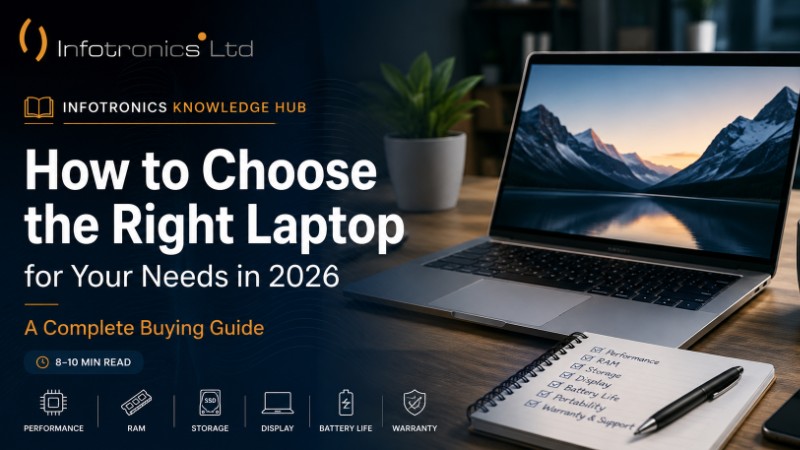
How to Choose the Right Laptop for Your Needs in 2026 | A Complete Buying Guide
Infotronics Knowledge Hub
Infotronics Buying Guides
Helping you make smarter technology decisions.
How to Choose the Right Laptop for Your Needs in 2026
Reading Time: 8–10 Minutes
Difficulty: ? Beginner
Last Updated: June 2026
Quick Answer
If you're looking for a quick recommendation, here's a good starting point.
| If you are... | Recommended Specifications |
|---|---|
| Student | Intel Core i5 or AMD Ryzen 5, 8GB RAM, 512GB SSD |
| Office Professional | Intel Core i5 or AMD Ryzen 5, 16GB RAM, 512GB SSD |
| Business Owner | Intel Core i5 or better, 16GB RAM, 512GB SSD |
| Graphic Designer | Intel Core i7 or AMD Ryzen 7, 16–32GB RAM, 1TB SSD, Dedicated Graphics |
| Gamer | Intel Core i7 or AMD Ryzen 7, Dedicated Graphics Card, 16GB+ RAM |
These recommendations are a great place to start, but choosing the right laptop is about more than specifications. It's about finding a device that fits the way you work, study, create, or relax.
Let's explore what really matters before you make your decision.
Buying a Laptop Shouldn't Feel Complicated
Buying a laptop is exciting. Whether you're preparing for university, growing your business, working from home, or replacing an older computer, a new laptop is an investment in your productivity.
However, with hundreds of models available, it's easy to get overwhelmed. Every laptop promises to be faster, smarter, or more powerful than the last. Technical terms like Intel Core, AMD Ryzen, RAM, SSD, and graphics cards can quickly make the buying process feel confusing—especially if you're not familiar with computer hardware.
The good news is that you don't need to know everything about computers to choose the right laptop.
Once you understand a few key features and match them to how you plan to use your laptop, making the right choice becomes much easier.
One of the biggest mistakes people make is buying a laptop based solely on price or brand. While both are important, neither tells the whole story. A well-chosen mid-range laptop can often deliver a better everyday experience than a premium model with features you'll never use.
At Infotronics, we believe buying technology should be simple, informed, and stress-free. That's why we've created this guide—to help you understand what really matters before you spend your money.
By the end of this article, you'll know what specifications to look for, which features are worth paying for, and how to choose a laptop that will continue to meet your needs for years to come.
Why This Guide Matters
A laptop isn't something most people replace every year. For many, it's a device they'll use for school, work, business, entertainment, and personal projects over the next four to six years.
Making the right choice today can save you money, reduce frustration, and improve your overall computing experience.
This guide focuses on practical advice rather than technical jargon, making it suitable whether you're buying your first laptop or upgrading an older one.
? Infotronics Expert Tip
Don't ask, "What's the best laptop?"
Instead, ask:
"What's the best laptop for what I do every day?"
The answer will almost always lead you to a smarter purchase.
Before You Continue...
Take a moment to think about how you'll use your laptop.
Ask yourself these simple questions:
- Will I mainly use it for school or work?
- Do I travel often and need long battery life?
- Will I edit photos or videos?
- Do I play games?
- Do I need a lightweight laptop that I can carry every day?
- Do I expect to keep this laptop for the next five years?
Your answers will help you understand which features deserve your attention—and which ones you can safely ignore.
What You'll Learn in This Guide
By the end of this article, you'll understand:
? How to identify the right laptop for your needs
? Which processor is right for different types of users
? How much RAM you actually need
? Why SSD storage has become the standard
? What to look for in a laptop display
? How to evaluate battery life
? The most common mistakes people make when buying a laptop
? A simple buying checklist you can use before making your purchase
What Do Laptop Specifications Really Mean?
One of the biggest reasons people struggle to choose a laptop is the long list of technical specifications. Processor, RAM, SSD, graphics card, display resolution—it can all sound overwhelming if you're not familiar with computer hardware.
The good news? You don't need to understand every technical detail to make a smart buying decision.
Instead, focus on what each component does and how it affects your everyday experience. Let's break it down in simple terms.
1. The Processor (CPU) – The Brain of Your Laptop
If your laptop were a car, the processor would be the engine. It powers everything your computer does, from opening applications and browsing the internet to editing videos and running demanding software.
A faster processor helps your laptop respond more quickly, especially when you're multitasking or using resource-intensive programs.
Which Processor Is Right for You?
| Your Needs | Recommended Processor |
|---|---|
| Web browsing, emails, Microsoft Office | Intel Core i3 / AMD Ryzen 3 |
| Students and everyday users | Intel Core i5 / AMD Ryzen 5 |
| Business professionals and multitasking | Intel Core i5 or Core i7 / AMD Ryzen 5 or Ryzen 7 |
| Video editing, programming, engineering | Intel Core i7 or Core Ultra / AMD Ryzen 7 |
| High-end gaming and creative work | Intel Core i7, Core Ultra, or AMD Ryzen 7 and above |
Remember, processor generation also matters. A newer mid-range processor can often outperform an older high-end model while using less power.
? Infotronics Expert Tip
Don't buy a laptop simply because it has the highest processor available. Choose one that matches the work you'll actually do every day. You'll often save money without sacrificing performance.
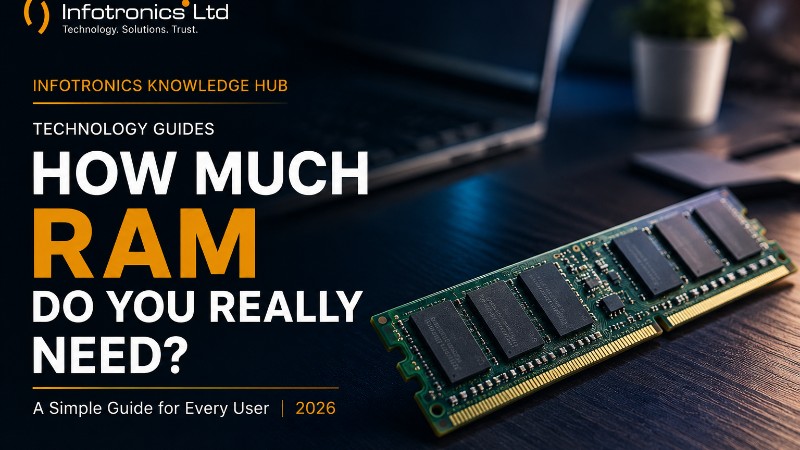
2. RAM – Your Laptop's Workspace
Think of RAM as your desk.
If your desk is small, you'll quickly run out of space when you spread out books, notebooks, and documents.
A larger desk lets you work comfortably without constantly clearing space.
RAM works the same way. It gives your laptop room to keep multiple applications running smoothly at the same time.
If you usually have several browser tabs open, attend video meetings, work on spreadsheets, and listen to music all at once, you'll benefit from having more RAM.
How Much RAM Do You Need?
| RAM | Best For |
|---|---|
| 8GB | Students, web browsing, Microsoft Office, streaming |
| 16GB | Office work, business users, programming, multitasking, light photo editing |
| 32GB or more | Professional video editing, 3D design, engineering software, virtual machines |
For most people buying a laptop today, 16GB of RAM offers the best balance of performance and future-proofing.
?? Tech in Practice
Meet Brian.
Brian runs a small business and spends his day switching between Excel, accounting software, email, Zoom, and multiple browser tabs.
An 8GB laptop will work, but upgrading to 16GB RAM gives him smoother multitasking and a better overall experience, especially during busy workdays.
3. SSD vs HDD – Why Storage Speed Matters
When people think about storage, they usually focus on capacity.
"Should I buy 512GB or 1TB?"
While storage size is important, storage speed is just as important.
There are two common types of storage:
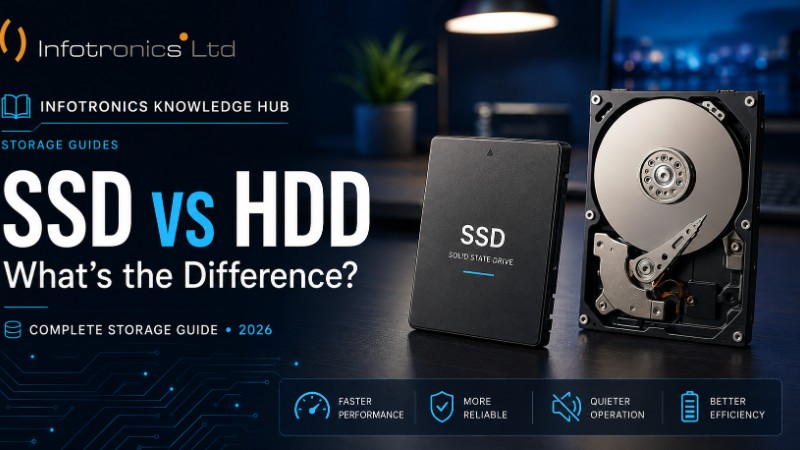
SSD (Solid State Drive)
An SSD has no moving parts, making it faster, quieter, and more durable.
Benefits include:
- Faster startup times
- Applications open quickly
- Files transfer faster
- Better battery efficiency
- Improved overall responsiveness
HDD (Hard Disk Drive)
An HDD uses spinning disks to store data.
Although it often offers more storage for less money, it's significantly slower than an SSD.
SSD vs HDD at a Glance
| Feature | SSD | HDD |
|---|---|---|
| Speed | ????? | ?? |
| Durability | Excellent | Good |
| Noise | Silent | Can produce noise |
| Battery Efficiency | Better | Lower |
| Everyday Performance | Excellent | Average |
For most users, we recommend choosing a laptop with an SSD. Even if the storage capacity is smaller, the improvement in speed and responsiveness is noticeable.
? Did You Know?
Many people replace their laptop because it has become slow.
In some cases, replacing an old hard drive with an SSD can dramatically improve performance, making the laptop feel much faster and extending its useful life.
4. Do You Really Need a Dedicated Graphics Card?
Not everyone does.
A graphics card (GPU) is responsible for handling visual tasks such as gaming, video editing, 3D design, and graphic-intensive applications.
If your daily activities include browsing the web, using Microsoft Office, streaming videos, and attending online meetings, the built-in graphics included with most modern processors are usually more than enough.
You should consider a dedicated graphics card if you regularly:
- Play modern games
- Edit high-resolution videos
- Work with 3D modelling software
- Use advanced graphic design applications
- Run engineering or simulation software
For everyone else, integrated graphics will provide excellent performance while helping keep costs down.
?? Common Mistake
Many buyers assume that a dedicated graphics card automatically means a better laptop.
In reality, paying extra for a powerful GPU makes little sense if you only use your laptop for school, office work, or everyday tasks. Invest your budget where it will make the biggest difference—such as a faster processor, more RAM, or an SSD.
Choosing the Right Laptop Based on Your Needs
Now that you understand the key specifications, it's time to answer the most important question:
Which laptop is right for you?
There's no single laptop that's perfect for everyone. The best choice depends on how you plan to use it every day.
Let's look at some common user profiles and the features that matter most for each.
? For Students
Whether you're in high school, college, or university, your laptop is more than just a device—it's your study companion. You'll likely use it for online classes, research, assignments, presentations, video calls, and entertainment.
What to Prioritize
- Reliable performance for multitasking
- Lightweight design for easy portability
- Long battery life
- Fast SSD storage
- Comfortable keyboard
Recommended Specifications
| Component | Recommendation |
|---|---|
| Processor | Intel Core i5 or AMD Ryzen 5 |
| RAM | 8GB (16GB if your budget allows) |
| Storage | 512GB SSD |
| Display | 14-inch or 15.6-inch Full HD |
| Battery | At least 8 hours |
?? Tech in Practice
A university student spends the day attending online lectures, writing assignments, conducting research, and joining Zoom meetings. A laptop with an Intel Core i5, 8GB RAM, and a 512GB SSD provides a smooth and reliable experience for these everyday tasks.
? For Office Professionals
If your work involves Microsoft Office, emails, video meetings, web applications, and multitasking, you'll want a laptop that is fast, dependable, and comfortable to use throughout the day.
What to Prioritize
- Smooth multitasking
- Comfortable keyboard
- Reliable webcam and microphone
- Long battery life
- Good build quality
Recommended Specifications
| Component | Recommendation |
|---|---|
| Processor | Intel Core i5 or AMD Ryzen 5 |
| RAM | 16GB |
| Storage | 512GB SSD |
| Display | Full HD IPS Display |
| Battery | 8–10 hours |
? Infotronics Expert Tip
If your work keeps dozens of browser tabs open while running Excel, Teams, Zoom, and Outlook, upgrading to 16GB RAM is one of the best investments you can make.
? For Business Owners
A business laptop should be dependable, secure, and built for productivity. Whether you're managing finances, communicating with clients, or running business software, reliability is often more important than having the most powerful hardware.
What to Prioritize
- Performance
- Reliability
- Security features
- Fast storage
- Comfortable typing experience
Recommended Specifications
| Component | Recommendation |
|---|---|
| Processor | Intel Core i5 or better |
| RAM | 16GB |
| Storage | 512GB SSD or larger |
| Display | Full HD |
| Extras | Fingerprint reader or facial recognition if available |
Why It Matters
Downtime costs money. Investing in a reliable laptop can improve productivity and reduce interruptions to your work.
? For Designers and Content Creators
Graphic designers, photographers, architects, and video editors place greater demands on their computers than the average user.
Large files, creative software, and rendering tasks require more processing power and memory.
Recommended Specifications
| Component | Recommendation |
|---|---|
| Processor | Intel Core i7/Core Ultra or AMD Ryzen 7 |
| RAM | 16GB–32GB |
| Storage | 1TB SSD |
| Graphics | Dedicated Graphics Card |
| Display | High-resolution IPS display with accurate colours |
? Infotronics Expert Tip
If colour accuracy is important for your work, consider a laptop with an IPS display. It provides better colour consistency and wider viewing angles than many entry-level panels.
? For Gamers
Gaming laptops are designed to handle demanding graphics, high frame rates, and modern games.
However, they're also typically heavier, consume more power, and cost more than standard laptops.
Recommended Specifications
| Component | Recommendation |
|---|---|
| Processor | Intel Core i7/Core Ultra or AMD Ryzen 7 |
| RAM | 16GB or more |
| Storage | 1TB SSD |
| Graphics | Dedicated NVIDIA or AMD Graphics |
| Display | High refresh rate Full HD or QHD display |
Before You Buy
Ask yourself:
- Will you only play games?
- Or will you also use the laptop for work or school?
If gaming is only an occasional hobby, you may not need a high-end gaming laptop.
? For Everyday Home Use
Not everyone needs a powerful laptop.
If your daily activities include browsing the internet, watching YouTube, shopping online, managing personal documents, and keeping in touch with family and friends, a mid-range laptop is often the smartest choice.
Recommended Specifications
| Component | Recommendation |
|---|---|
| Processor | Intel Core i3/Core i5 or AMD Ryzen 3/Ryzen 5 |
| RAM | 8GB |
| Storage | 512GB SSD |
| Display | Full HD |
| Battery | Good all-day battery life |
?? Common Mistake
Many people assume they need the most powerful laptop available.
In reality, buying more performance than you'll ever use often means spending more money without seeing any real benefit in everyday use.
? Which Laptop Is Right for You?
| You Are... | Processor | RAM | Storage | Graphics |
|---|---|---|---|---|
| Student | Core i5 / Ryzen 5 | 8GB | 512GB SSD | Integrated |
| Office Worker | Core i5 / Ryzen 5 | 16GB | 512GB SSD | Integrated |
| Business Owner | Core i5 or better | 16GB | 512GB SSD | Integrated |
| Designer | Core i7 / Ryzen 7 | 16–32GB | 1TB SSD | Dedicated |
| Gamer | Core i7 / Ryzen 7 | 16GB+ | 1TB SSD | Dedicated |
| Home User | Core i3/Core i5 | 8GB | 512GB SSD | Integrated |
Still Unsure?
If you don't fit perfectly into one category, don't worry.
Many people use their laptops for a mix of work, study, entertainment, and personal projects. The key is to choose a laptop that performs well for your most demanding everyday tasks while leaving a little room for future needs.
A well-balanced laptop is often a better investment than simply buying the most expensive model available.
Common Mistakes to Avoid When Buying a Laptop
Buying a laptop is an investment, and it's easy to be influenced by attractive prices, flashy marketing, or the latest trends. Taking a few extra minutes to evaluate your options can help you avoid costly mistakes and ensure you get a laptop that serves you well for years.
Here are some of the most common mistakes buyers make—and how you can avoid them.
? Mistake #1: Choosing a Laptop Based on Brand Alone
Well-known brands often have excellent products, but no single brand makes the perfect laptop for everyone.
Instead of asking, "Which brand is the best?", ask:
"Which laptop best fits my needs?"
A mid-range laptop from one brand may be a better choice than a premium model from another if it offers the right balance of performance, portability, and value.
? Mistake #2: Buying the Cheapest Laptop Available
Everyone likes saving money, but the cheapest laptop isn't always the best value.
An entry-level laptop may handle basic tasks today but could struggle as your needs grow. Spending a little more on additional RAM or a faster processor can make a significant difference in performance and extend the laptop's lifespan.
? Infotronics Expert Tip
Think about where you'll be in two or three years—not just today. Buying a laptop with a little extra performance can save you from upgrading sooner than expected.
? Mistake #3: Ignoring Battery Life
If you often work from cafés, attend classes, travel, or move between meetings, battery life is just as important as performance.
A powerful laptop isn't very convenient if you constantly need to look for a power outlet.
When comparing models, look at independent reviews as well as the manufacturer's estimates, since real-world battery life often varies depending on how the laptop is used.
? Mistake #4: Overlooking the Display
You'll spend hours looking at your laptop's screen, so don't overlook it.
A Full HD (1920 × 1080) display provides a sharp, comfortable viewing experience for most users. If you edit photos, videos, or design graphics, consider a display with good colour accuracy and wide viewing angles.
A great display can reduce eye strain and make everyday work much more enjoyable.
? Mistake #5: Forgetting About Connectivity
Imagine buying a new laptop only to discover it doesn't have the ports you need for your monitor, USB drive, or projector.
Before making your purchase, check for:
- USB-A ports
- USB-C ports
- HDMI output
- Headphone jack
- SD card reader (if needed)
- Ethernet port (for some business users)
If a laptop has fewer ports, you may need additional adapters or a docking station.
? Mistake #6: Buying Without Considering Warranty and Support
A warranty provides peace of mind if something goes wrong.
Before buying, ask:
- How long is the warranty?
- Where can repairs be done?
- Are spare parts readily available?
- Is technical support easily accessible?
Reliable after-sales support is just as important as the laptop itself.
? Laptop Buying Checklist
Before you click "Buy Now" or visit a store, go through this checklist.
Performance
? Does the processor match my needs?
? Do I have enough RAM for my daily work?
? Is the laptop equipped with an SSD?
Display
? Is the screen size comfortable for how I'll use it?
? Is the resolution Full HD or better?
Battery & Portability
? Is the battery life suitable for my routine?
? Is the laptop easy to carry if I travel often?
Connectivity
? Does it have the ports I need?
? Does it support Wi-Fi and Bluetooth standards I require?
Support
? Does it come with a warranty?
? Is support available locally if I need assistance?
Frequently Asked Questions
Is 8GB RAM enough in 2026?
For web browsing, Microsoft Office, online learning, and general home use, 8GB is still suitable. However, if your budget allows, 16GB offers a smoother experience and gives you more room for future software updates and multitasking.
Should I buy a laptop with an SSD or HDD?
An SSD is the better choice for most people. It starts faster, opens applications more quickly, and makes everyday computing feel much smoother.
Is a touchscreen laptop worth it?
That depends on how you'll use it. Touchscreens can be useful for note-taking, presentations, and creative work, but for many users, a standard laptop provides excellent value at a lower price.
Can I upgrade my laptop later?
Some laptops allow upgrades to RAM or storage, while others have components permanently built into the device. If future upgrades are important to you, check the specifications before buying.
How long should a good laptop last?
With the right specifications and proper care, a quality laptop can comfortably serve most users for five to seven years.
The Infotronics Verdict
After helping customers choose laptops for different needs, one thing becomes clear:
The best laptop isn't the one with the highest specifications—it's the one that fits your lifestyle, your work, and your budget.
For most students, professionals, and business users, a laptop with:
- Intel Core i5 or AMD Ryzen 5
- 16GB RAM
- 512GB SSD
- Full HD display
offers an excellent balance of performance, reliability, and value.
Rather than chasing the newest or most expensive model, focus on buying a laptop that will serve you well every day. That's the smartest investment you can make.
? Before You Buy
Take your time.
Compare specifications.
Read reviews.
Ask questions.
Buy from a trusted retailer.
A laptop is more than just another gadget—it's a tool you'll rely on for work, learning, creativity, and staying connected. Choosing carefully today can make your experience more enjoyable for years to come.
Final Thoughts
Choosing a laptop doesn't have to be stressful. Once you understand what you'll use it for and the specifications that truly matter, the decision becomes much easier.
Remember, the best laptop isn't always the newest or the most expensive. It's the one that helps you work efficiently, study comfortably, create without limitations, and stay productive every day.
Take your time, compare your options, and invest in a laptop that matches your needs today while giving you room to grow tomorrow.
Technology should make your life easier—not more complicated.
The Infotronics Verdict
If you're buying a laptop in 2026, here's our recommendation:
Choose a laptop based on what you need to do—not simply on the brand or the highest specifications.
For most students, professionals, and business users, a laptop with an Intel Core i5 or AMD Ryzen 5 processor, 16GB RAM, a 512GB SSD, and a Full HD display offers an excellent balance of performance, reliability, and long-term value.
Buy for your needs today, and you'll thank yourself for years to come.
Need Help Choosing?
Every person uses a laptop differently, which is why there isn't a one-size-fits-all solution.
Whether you're buying your first laptop, upgrading an older device, or choosing a computer for your business, the Infotronics team is ready to help.
We'll help you compare models, understand the specifications, and choose a laptop that fits your needs and your budget—without unnecessary confusion or pressure.
Have a question? Get in touch with Infotronics today. We'd be happy to help you make the right choice.
? Call or WhatsApp: 0756 398 449
Continue Learning
Explore more guides from the Infotronics Knowledge Hub:
- SSD vs HDD: What's the Difference and Which Should You Choose?
- How Much RAM Do You Really Need in 2026?
- Laptop vs Desktop: Which One Is Right for You?
- How to Make Your Laptop Battery Last Longer
- Signs It's Time to Upgrade Your Computer
(These articles will be published soon and linked here as the Knowledge Hub grows.)
About the Infotronics Knowledge Hub
The Infotronics Knowledge Hub is dedicated to helping individuals, students, professionals, and businesses make informed technology decisions.
Our articles are written to simplify technology, answer common questions, and provide practical advice you can trust—whether you're buying a new device, solving a technical problem, or learning something new.
Because better information leads to better decisions.