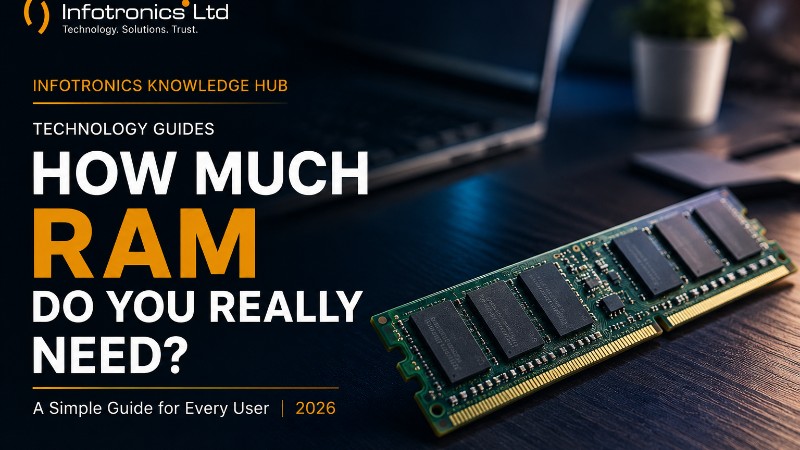
How Much RAM Do You Really Need in 2026? A Simple Guide for Every User
Infotronics Knowledge Hub
Infotronics Technology Guides
Helping you make smarter technology decisions.
How Much RAM Do You Really Need in 2026?
Reading Time: 8–10 Minutes
Difficulty: ? Beginner
Last Updated: August 2026
Quick Answer
For most people buying a laptop or desktop in 2026, 16GB of RAM is the sweet spot.
It provides enough memory for everyday work, studying, browsing, multitasking, business applications, and many creative tasks without paying for memory you may never use.
Here's a simple starting point:
| If you are... | Recommended RAM |
|---|---|
| Basic home user | 8GB |
| Student | 8GB–16GB |
| Office professional | 16GB |
| Business owner | 16GB |
| Programmer | 16GB–32GB |
| Graphic designer | 16GB–32GB |
| Video editor | 32GB or more |
| Gamer | 16GB–32GB |
| 3D, engineering or advanced workloads | 32GB–64GB+ |
These are starting points rather than strict rules. The right amount depends on what you do, how many applications you use at once, and how long you expect to keep your computer.
What Is RAM?
RAM stands for Random Access Memory.
That sounds technical, but the idea is actually quite simple.
Think of RAM as the working space on your desk.
Imagine you're studying with a laptop, a notebook, a calculator, several books and a few papers spread across your desk. A larger desk gives you more room to work with everything open at the same time.
RAM works in a similar way.
It gives your computer temporary working space for the applications and data you're actively using.
When you open a browser, launch Microsoft Word, join a video meeting and keep several applications running at the same time, your computer uses RAM to keep those tasks readily available.
When the computer is switched off, the information stored in RAM is cleared.
That's why RAM is different from your SSD or HDD. Your storage keeps files for the long term, while RAM is temporary working memory used while the computer is running.
? Infotronics Expert Tip
Don't confuse RAM with storage.
Your SSD or HDD answers:
"How much can I store?"
RAM answers:
"How much can I work with at the same time?"
You need both, but they solve different problems.
Why Does RAM Matter?
RAM has a major effect on how comfortable your computer feels when you're multitasking.
A computer with enough RAM can keep more applications and information readily available.
A computer with too little RAM may need to move information between RAM and storage more often, which can make multitasking feel slower.
This becomes especially noticeable when you're:
-
Running many browser tabs
-
Working with large spreadsheets
-
Joining video meetings while using other applications
-
Editing photos or videos
-
Running programming tools
-
Using virtual machines
-
Playing demanding games
-
Working with large engineering or design files
RAM is therefore less about making one application magically faster and more about giving your computer enough room to handle everything you're asking it to do.
8GB RAM: Is It Still Enough?
Yes — for some users.
Eight gigabytes can still be suitable for lighter workloads such as:
-
Web browsing
-
Email
-
Microsoft Word
-
Basic spreadsheets
-
Online learning
-
Video streaming
-
Basic home use
However, 8GB leaves less room for heavy multitasking than 16GB.
This matters because modern applications, browsers and operating systems can all use memory at the same time.
Microsoft lists 4GB as the minimum RAM requirement for Windows 11, but that is the minimum needed to meet the operating system requirement, not a recommendation for a comfortable modern multitasking experience.
Our Take
If you're buying a new computer and your budget allows, 16GB is generally the better long-term choice.
16GB RAM: The Sweet Spot for Most Users
For many people, 16GB offers the best balance between performance, flexibility and value.
It's a strong choice for:
-
Students
-
Office professionals
-
Business owners
-
Programmers
-
Researchers
-
Heavy multitaskers
-
General home users who want extra headroom
With 16GB, you can comfortably run several applications together without worrying about memory as quickly as you would with 8GB.
For example, you might have:
-
Chrome with many tabs open
-
Microsoft Word
-
Excel
-
Spotify
-
WhatsApp or another messaging application
-
A video meeting
-
Antivirus and background applications
Instead of constantly closing things to free memory, you have more breathing room.
? Infotronics Expert Tip
If you're deciding between two otherwise similar new laptops and one has 8GB RAM while the other has 16GB, the 16GB model is usually the more sensible choice when you plan to keep the machine for several years.
32GB RAM: When Does It Make Sense?
Thirty-two gigabytes is where RAM starts becoming especially useful for demanding workloads.
You may benefit from 32GB if you regularly use:
-
Professional photo editing
-
Video editing
-
Large datasets
-
Software development environments
-
Virtual machines
-
3D applications
-
Engineering software
-
Advanced multitasking
-
High-end gaming alongside other demanding applications
For example, Adobe currently recommends 16GB or more for Photoshop, while its current Premiere guidance recommends 16GB for HD media and 32GB or more for 4K and higher-resolution work.
Autodesk's current AutoCAD 2026 guidance lists 32GB as the recommended memory level for Windows, while its technical guidance notes that 16GB is a good value for 2D drawings and 32GB is suitable for 3D work.
64GB RAM and Beyond: Who Needs It?
Most people don't.
Very high memory capacities make sense for specialised workloads such as:
-
Professional 3D production
-
Complex engineering workflows
-
Large-scale data analysis
-
Multiple virtual machines
-
Advanced content creation
-
Professional workstation applications
-
Extremely heavy multitasking
If you spend most of your day browsing, studying, using Office applications, running a business system or watching videos, 64GB is usually more than you need.
The goal isn't to buy the biggest number.
The goal is to buy enough memory for the work you actually do.
? RAM At a Glance
| RAM | Best For | Our View |
|---|---|---|
| 4GB | Minimum/basic Windows requirement | Too limited for a new general-purpose PC |
| 8GB | Basic home use, light office work, students on a budget | Acceptable |
| 16GB | Work, study, business, multitasking | Best choice for most users |
| 32GB | Creative work, programming, gaming, engineering | Recommended for demanding users |
| 64GB+ | Professional workstation workloads | Specialist use |
The 4GB figure above reflects Microsoft's Windows 11 minimum requirement, not a recommendation for a comfortable new PC.
?? Tech in Practice
Meet Brian
Brian runs a small business.
During a normal working day, he uses:
-
Microsoft Excel
-
Accounting software
-
Email
-
Chrome with multiple tabs
-
WhatsApp
-
Video meetings
He doesn't edit 4K video or create 3D models.
Brian doesn't need 64GB of RAM.
For his workload, 16GB is a practical choice because it gives him enough room for everyday multitasking without paying for unnecessary capacity.
? What About Students?
Students have different needs.
A student who mainly uses:
-
Word
-
PDF documents
-
Browsers
-
Online classes
-
Research websites
-
Presentations
can work comfortably with 8GB.
However, if the student is studying:
-
Computer science
-
Data science
-
Engineering
-
Architecture
-
Graphic design
-
Video production
then 16GB or more can make much more sense.
Your course and software requirements matter more than simply being a student.
? What About Business Users?
For most office and business environments, 16GB is an excellent target.
Business applications may include:
-
Accounting software
-
ERP systems
-
POS systems
-
Browsers
-
Microsoft Office
-
Video conferencing
-
Communication platforms
The more applications you use simultaneously, the more valuable additional RAM becomes.
? What About Creators?
Creative applications can consume substantial amounts of memory.
If you work with Photoshop, Premiere or similar professional applications, RAM requirements rise quickly.
Adobe currently recommends 16GB or more for Photoshop, while Premiere recommends 16GB for HD editing and 32GB or more for 4K and higher.
For serious creative work, 32GB is often a better starting point than 16GB.
? What About Gamers?
For gaming, 16GB is a strong starting point, while 32GB can be useful for newer or more demanding setups, especially when gaming is combined with streaming, recording or other applications.
But RAM isn't the only component that matters.
A gaming computer also needs an appropriate:
-
Processor
-
Graphics card
-
SSD
-
Cooling system
-
Display
A computer with 64GB RAM but a weak graphics card isn't automatically a better gaming machine.
?? Common Mistake
"More RAM automatically means a faster computer."
Not necessarily.
If your computer already has enough RAM for your workload, adding more may provide little noticeable benefit.
For example, someone who uses a laptop only for email and basic document editing may not see a dramatic improvement by moving from 16GB to 32GB.
The better approach is to identify what is actually limiting your computer before spending money on upgrades.
RAM Is Not the Only Thing That Matters
This is important.
If a laptop feels slow, RAM may not be the problem.
Performance also depends on:
-
Processor
-
SSD performance
-
Graphics
-
Cooling
-
Software
-
Operating system
-
Background applications
For example, replacing an old HDD with an SSD can make a dramatic difference to everyday responsiveness even when the amount of RAM stays the same.
Likewise, adding RAM won't turn a low-power processor into a high-performance workstation.
A good computer is about balance.
Can More RAM Make Your Computer Last Longer?
It can help, but it isn't a guarantee.
As applications become more demanding, having additional memory can give a computer more room to handle future software and multitasking requirements.
This is one reason why 16GB is a sensible target for many new computers today.
However, future longevity also depends on the processor, storage, graphics, battery, software support and the quality of the device itself.
Can You Upgrade RAM Later?
Sometimes.
Some desktop computers allow straightforward RAM upgrades.
Some laptops also have upgradeable memory, while others have RAM soldered directly to the motherboard.
Before buying a laptop, check whether the RAM is:
-
Upgradeable
-
Removable
-
Soldered
-
Limited by the motherboard
If you expect your needs to grow, upgradeability can be an important factor in your buying decision.
? Infotronics Expert Tip
If two laptops have similar processors and storage, don't look only at the amount of RAM.
Also check whether the RAM can be upgraded later.
A laptop that starts with 8GB and can be upgraded may offer more flexibility than one with 8GB permanently fixed to the motherboard.
Dual-Channel and Memory Configuration
There's another detail advanced users should know.
RAM performance can also be affected by how the memory is configured.
In some systems, using multiple memory modules can allow the computer to operate in a more efficient memory configuration than a single module, depending on the platform.
For everyday buyers, however, this shouldn't become a reason to overcomplicate a purchase.
The most important priorities remain:
Choose enough RAM first. Then consider the specific memory configuration.
? Before You Buy
Use this simple checklist when choosing your next computer.
Your Workload
-
I know what applications I use most.
-
I know whether I multitask heavily.
-
I know whether my work involves creative or technical software.
RAM Capacity
-
8GB is enough for my actual workload, or
-
I have chosen 16GB for more flexibility, or
-
I genuinely need 32GB or more for demanding workloads.
Upgrade Options
-
I have checked whether the RAM can be upgraded.
-
I understand whether the memory is soldered.
-
I have considered how my needs may change in the future.
Overall System
-
The processor matches my workload.
-
The computer has SSD storage.
-
The graphics solution matches my applications.
-
The laptop or desktop has adequate cooling.
Frequently Asked Questions
Is 8GB RAM enough in 2026?
It can be enough for basic computing such as browsing, documents, streaming and light office work. However, 16GB is a better target for many new computers because it gives you more room for multitasking and future software requirements.
Is 16GB RAM enough?
For most students, office professionals, business users and general users, yes. It offers a strong balance of performance and value.
Do I need 32GB RAM?
You may benefit from 32GB if you regularly edit video, work with 3D or engineering applications, use virtual machines, work with large datasets or perform other demanding tasks. Adobe's current Premiere guidance recommends 32GB or more for 4K and higher-resolution editing, while Autodesk recommends 32GB for AutoCAD 2026 on Windows.
Does more RAM improve gaming?
More RAM can help when a game or the overall system needs it, but gaming performance also depends heavily on the processor and graphics card. For many gaming systems, 16GB is a solid starting point, while 32GB provides additional headroom.
Can I add more RAM later?
Sometimes. It depends on the computer. Some systems have replaceable memory, while others have RAM soldered to the motherboard.
What is the difference between RAM and storage?
RAM is temporary working memory used while your computer is running. Storage—such as an SSD—keeps your files, applications and operating system for the long term.
Is 64GB RAM too much?
For most people, yes. It becomes useful when the workload genuinely requires large amounts of memory, such as advanced workstation, engineering, 3D, virtualisation or professional production tasks.
? Did You Know?
A computer doesn't automatically become faster simply because it has more RAM.
The real benefit comes when the computer needs that additional memory.
That's why choosing 16GB for a typical new computer can be smarter than paying for 64GB that your workload may never use.
The smartest upgrade is usually the one that removes an actual performance bottleneck.
The Infotronics Verdict
If you're buying a computer in 2026, here's our recommendation:
For most users, 16GB of RAM is the sweet spot.
Choose 8GB when your needs are genuinely light and your budget is tight. Move to 32GB when your work involves demanding creative, technical or professional applications. Consider 64GB or more only when your workload clearly justifies it.
Don't buy RAM simply because a bigger number sounds better.
Buy enough memory for the way you work today, with enough headroom for tomorrow.
Final Thoughts
RAM can seem complicated when you're looking at a laptop specification sheet, but the basic idea is simple:
More RAM gives your computer more room to handle multiple tasks at once.
For basic users, 8GB can still be enough.
For most people buying a new computer, 16GB is a comfortable and sensible target.
For demanding workloads, 32GB or more may be the right choice.
The key is to match the hardware to the work you actually do.
When choosing your next computer, don't ask:
"How much RAM can I get?"
Ask:
"How much RAM do I actually need?"
That's the smarter way to buy technology.
Need Help Choosing?
Not sure how much RAM you need for your laptop or desktop?
The team at Infotronics can help you compare specifications based on how you work, study, create or run your business.
Whether you're buying a new computer or deciding whether an existing device needs an upgrade, we'll help you focus on the components that actually matter for your workload.
Call or WhatsApp: 0756 398 449
Continue Learning
Explore more technology guides from the Infotronics Knowledge Hub:
-
How to Choose the Right Laptop for Your Needs in 2026
-
SSD vs HDD: What's the Difference and Which Should You Choose in 2026?
-
Laptop vs Desktop: Which One Should You Choose?
-
10 Signs It's Time to Upgrade Your Computer
-
How to Make Your Laptop Battery Last Longer
About the Infotronics Knowledge Hub
The Infotronics Knowledge Hub is designed to make technology easier to understand.
Our guides explain technology in clear, practical language so that students, professionals, businesses and everyday users can make better-informed decisions.
Whether you're choosing a new device, upgrading existing hardware, solving a technical problem or simply trying to understand how technology works, we're here to help you make smarter technology decisions.